💻 Menu Bar App for macOS

Never Miss a Prompt.
Never Lose Momentum.

The essential companion app for Claude Code that keeps you productive whether you're at your desk or on the go. Get instant notifications when Claude needs your input.

Developer Favorite
macOS 13.0+
Apple Silicon & Intel
Claude Code Notifier in action
The Problem

Stop Losing Hours to Stalled Sessions

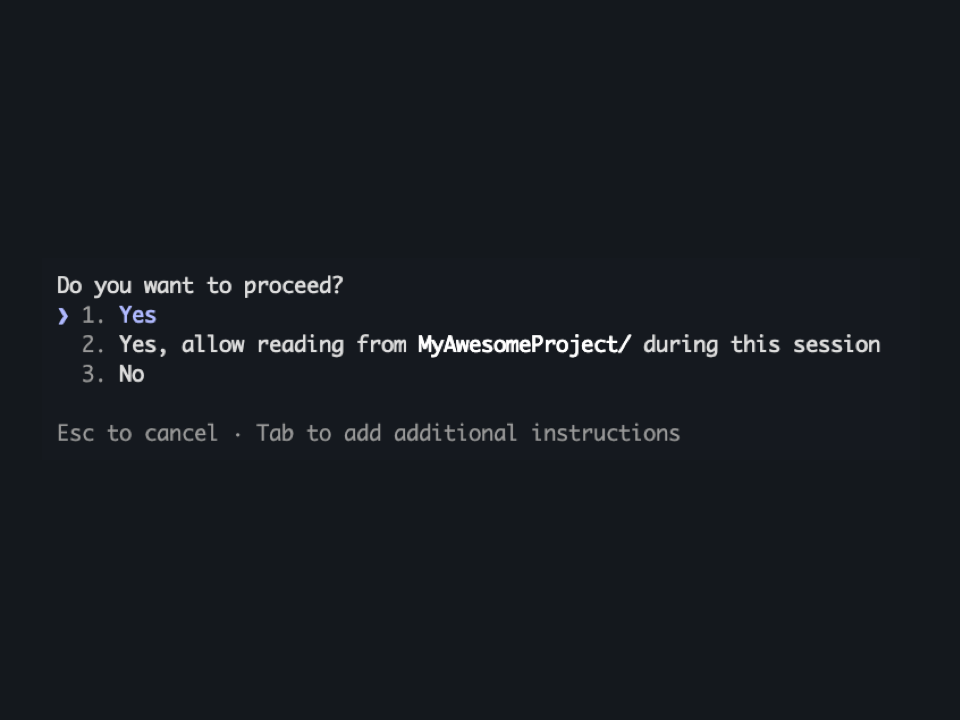
You know the feeling. You kick off Claude on a complex refactor, step away for coffee, and return twenty minutes later to discover it asked a clarifying question in the first minute—and has been waiting ever since.

That's twenty minutes of productivity gone. Multiply that across a day of coding, and you've lost hours.

See how it works →
Stalled Claude Code session
Multiple Terminals

Track All Your Sessions

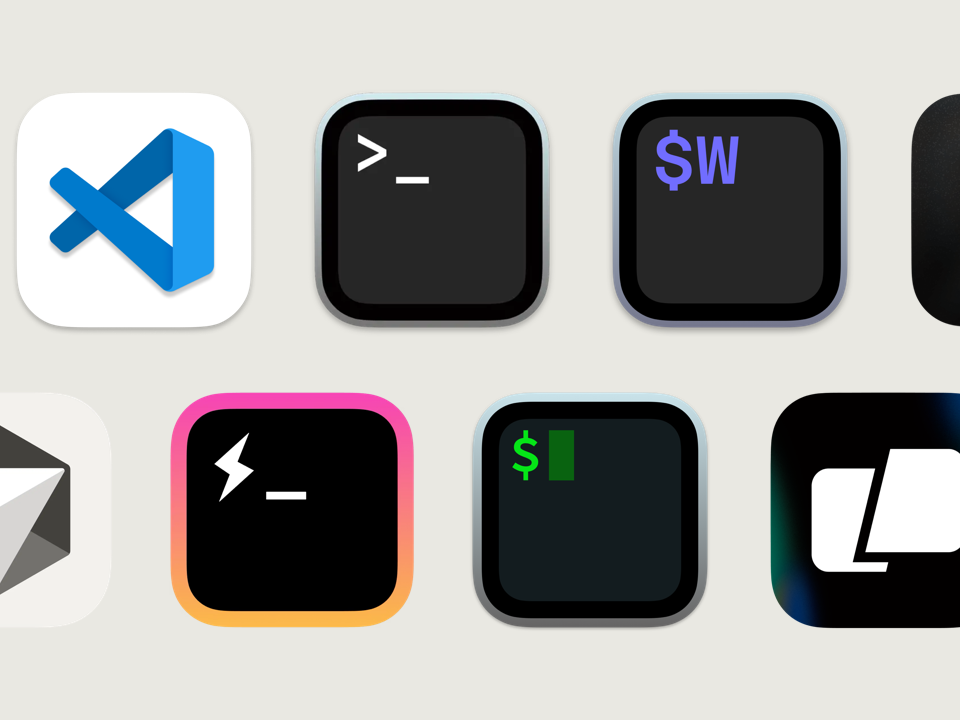
Running Claude in three different terminal windows across two monitors? No problem. Claude Code Notifier tracks all your active sessions and tells you exactly which one needs you.

No more cycling through tabs wondering where that notification sound came from. Every session is tracked independently.

Multiple terminal support
Intelligent Alerts

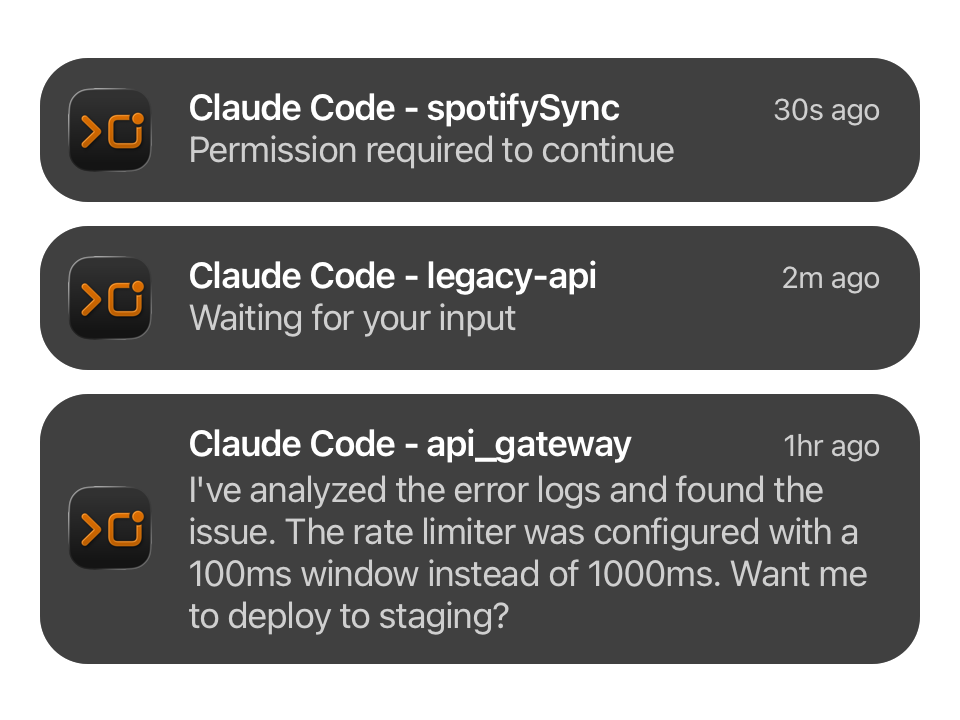
Smart Notifications That Don't Annoy

Notifications automatically suppress when your terminal is in focus—because you don't need an alert for something you're already looking at.

Configurable quiet hours let you code in peace when you need to, and customizable reminder intervals ensure nothing slips through the cracks.

Smart notification settings
Integrations

Webhook Integration

Forward notifications to Slack, Discord, or any custom webhook endpoint. Perfect for teams or when you want notifications on your phone via services like ntfy.sh.

Set it up once, receive alerts everywhere.

Webhook integration
On The Go

Mobile Companion Apps

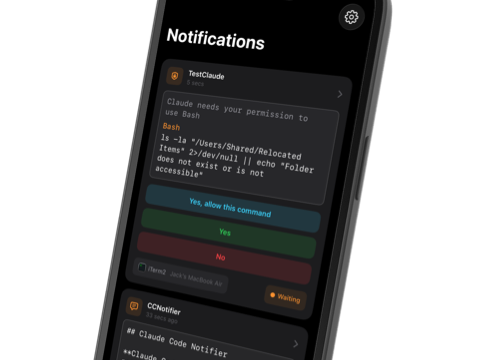
Pair with the iOS or Android companion app to receive push notifications on your phone. Step into a meeting, go for a walk, or work from the couch—your Claude sessions follow you.

With supported terminals like iTerm2, you can even respond to permission requests and continue conversations right from your phone.

Mobile companion apps
How It Works

Setup Takes Under a Minute

Claude Code Notifier installs a lightweight hook into your Claude Code configuration. When Claude emits an event, you get notified instantly.

1

Download

Download and install Claude Code Notifier from our website

2

Grant Permissions

Allow notification permissions when prompted by macOS

3

Install Hook

Click "Install Hook" in the menu bar app

4

You're Protected

That's it. Never miss a prompt again

And More

Everything You Need

Built for developers who demand the best tools for their workflow.

📊

Session Analytics

Track your Claude Code usage over time. See how many sessions you run, how many prompts you respond to, and identify patterns in your workflow.

🔒

Privacy First

All data stays on your device. No accounts, no cloud sync, no telemetry. Your code is your business.

Lightweight

The hook adds negligible overhead—it's a simple event emission that runs asynchronously. You won't notice it's there.

📦

Universal Binary

Native support for both Apple Silicon and Intel Macs. Optimized for your hardware.

Configurable Reminders

Set custom reminder intervals so prompts that slip by the first notification don't get forgotten.

🌙

Quiet Hours

Schedule notification-free periods for focused coding sessions or off-hours.

Built For

Perfect For

🎮

The Vibe Coder

Ship fast without babysitting your terminal. Let Claude do its thing while you do yours.

🤹

The Multitasker

Juggling meetings, Slack, and three refactors? Know instantly when any session needs you.

📱

The Mobile Developer

Working from the couch or a cafe? Keep coding momentum without being chained to your desk.

🏗

The Microservices Wrangler

Multiple repos, multiple Claude sessions. One app to track them all.

Testimonials

What Developers Say

"This is one of those apps you didn't know you needed until you have it. I've saved hours of waiting time since installing it."

Alex M. — San Francisco

"The mobile companion is a game changer. I can approve permissions while getting coffee. My workflow has never been smoother."

Sarah K. — London

"Finally! I run 4-5 Claude sessions across different projects and this keeps me sane. The multi-terminal tracking is perfect."

Marcus T. — Berlin

"Setup was literally 30 seconds. Click install hook and you're done. Why didn't this exist sooner?"

Jamie L. — Toronto

"The webhook integration to Slack is brilliant. Our whole team knows when their Claude sessions need attention."

Priya R. — Bangalore

"Love that it suppresses notifications when I'm already looking at the terminal. Smart design choices throughout."

David C. — Sydney

FAQ

Frequently Asked Questions

Do I need an Anthropic subscription?

Yes. Claude Code Notifier is a companion app for Claude Code, which requires an active Anthropic subscription (Pro, Team, or Enterprise with Claude Code access).

Is this made by Anthropic?

No. Claude Code Notifier is an independent third-party application and is not affiliated with, endorsed by, or sponsored by Anthropic. "Claude" and "Claude Code" are trademarks of Anthropic.

Will this slow down Claude Code?

No. The hook adds negligible overhead—it's a simple event emission that runs asynchronously. You won't notice any performance impact.

What terminals are supported?

Any terminal that can run Claude Code works for notifications. Advanced features like mobile response require iTerm2, with more terminals coming soon.

How does the hook installation work?

The app modifies ~/.claude/settings.json to add notification hooks. Communication happens via a local Unix domain socket for secure, fast IPC. Your data never leaves your machine.

What's included with my purchase?

Native macOS menu bar application, automatic hook installation, unlimited local notifications, session tracking and analytics, webhook support (Slack, Discord, custom), configurable reminders and quiet hours. One-time purchase with free updates.

Ready to Stop Losing Time?

Download Claude Code Notifier and never return to a stalled terminal again.

One-time purchase • Free updates • macOS 13.0+